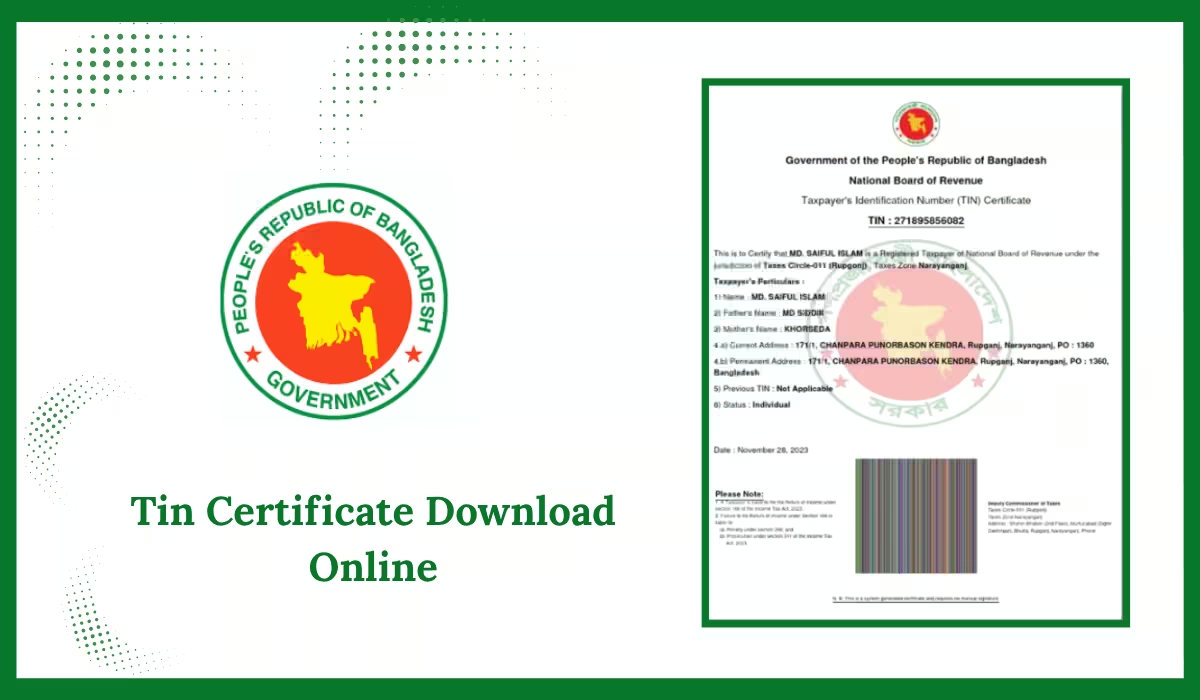
Tin Certificate Download Online in 2026: Downloading your TIN certificate online is now quick and easy. If you already have a TIN, you don’t need to visit any office. Just log in to the official e-TIN portal using your user ID and password, and download it in minutes.
How to Download TIN Certificate Online in Bangladesh
To download your TIN certificate using your TIN number, follow these simple steps:
- Visit the Official Website
Go to https://etaxnbr.gov.bd - Log In to Your Account
Click on the eReturn option and log in using your TIN number and password. - Access Tax Records
After logging in, go to the Tax Record section and click on the TIN Certificate link. - Download Your Certificate
Click the Download button to save your TIN certificate as a PDF file.
Tin Certificate Download by Nid Number
To download your E-TIN certificate using your NID number, follow these simple steps:
Step 1: Go to the NBR Website
Visit the official National Board of Revenue (NBR) portal:
Step 2: Create an Account
- Click the “Register” or “Sign Up” button.
- Enter your NID number, full name, date of birth, and mobile number.
- Set a strong password and submit the form.
Step 3: Verify Your Mobile Number
- You will get a 6-digit OTP code on your registered mobile number.
- Enter the OTP to complete your account verification.
Step 4: Login to Your Account
- Use your user ID (or NID number) and password to log in to your NBR dashboard.
Step 5: Download Your TIN Certificate
- Go to the “E-TIN Certificate” section.
- Enter your NID number (if needed) and click “Download”.
- Your certificate will be downloaded as a PDF file.
Step 6: Save and Print
- Keep a digital copy on your phone or PC.
- Print a copy if needed for official purposes, such as a trade license, bank documents, or a passport.
Note: Make sure your mobile number is active, as you’ll need it to receive the OTP during registration.
TIN Certificate Download by NID Number (App Method)
To download your TIN certificate using your NID number, follow these easy steps:
- Visit the Official Website
Go to https://etaxnbr.gov.bd - Go to eReturn Option
On the homepage, click on the eReturn section. - Log In to Your Account
Enter your TIN number and password to sign in.
(If you don’t remember your login, you can recover it using your NID number and registered mobile.) - Access Tax Records
After logging in, go to Tax Record and click on TIN Certificate. - Download the Certificate
Press the Download button to save your TIN certificate in PDF format.
TIN Certificate Download by Phone Number
In Bangladesh, downloading a TIN (Tax Identification Number) certificate requires online registration through the National Board of Revenue (NBR) website. Although your phone number is essential for account verification, the certificate itself is not downloaded directly using the number.
Here’s how your mobile number plays a role in the process:
Step 1: Register on the NBR e-TIN Portal
- Visit https://etaxnbr.gov.bd and click on the “Register” option.
Step 2: Provide Basic Information
- Fill in your personal or business details, including a valid mobile number.
Step 3: Verify with Activation Code
- An OTP (One-Time Password) will be sent to your phone. Enter it to verify your number.
Step 4: Complete the Application
- Finish the online form by providing your income source, NID number, and other required details.
Step 5: Submit and Download TIN Certificate
- Once submitted, your TIN certificate will be generated, and you’ll be able to download or print it in PDF format.
Why You Need the TIN Certificate
Here are some common reasons why you need to download your TIN certificate:
- Open a bank account
- Apply for a trade license
- Submit tax returns
- Buy or sell land
- Apply for government tenders or jobs
TIN Certificate Download Error – How to Fix It
If you’re facing issues while downloading your TIN certificate online, try the following steps to resolve the problem:
- Check Login Details
Make sure your User ID and Password are entered correctly. Double-check for spelling or case sensitivity. - Ensure Stable Internet
A slow or unstable internet connection can cause loading issues. Switch to a more reliable connection if possible. - Use a Different Browser
Sometimes, browser compatibility causes errors. Try opening the site in Google Chrome, Firefox, or Edge. Also, clear your browser’s cache and cookies. - Try Again Later
The NBR website may be down or experiencing high traffic. Wait a while and attempt to log in again during off-peak hours. - Contact NBR Support
If none of these steps work, reach out to NBR’s helpdesk for technical support. They can guide you on resolving login or download issues.
Tin Certificate Download bd Pdf Free
FAQs About Tin Certificate Download
Conclusion
Downloading your TIN certificate online in Bangladesh is now easier than ever. Whether using your TIN number, NID number, or registered mobile, you can access your certificate within minutes through the NBR portal. It’s essential for banking, business, and official work. Keep your login details safe and always store a copy of your TIN certificate for future use.