TIN certificate correction refers to updating or modifying the information on an existing Taxpayer Identification Number (TIN) certificate. This process is necessary when there are errors or changes in personal or business details, ensuring the certificate remains accurate, valid, and compliant with legal and financial requirements.
Why TIN Certificate Correction is Important
Many people unintentionally provide incorrect details during TIN registration. A small mismatch for example, your TIN certificate showing a different spelling of your name than your NID card can lead to issues like:
- Tax return rejection
- Delay in bank account opening
- Problem in government transactions
That’s why it’s important to correct any mistake in your e-TIN certificate immediately to avoid complications.
What Information Can Be Corrected in the TIN Certificate?
You cannot change everything on your TIN certificate through the online portal. Only specific information is eligible for online correction.
Correct Information
- Address
- Mobile Number
- Email Address
- Father’s Name
- Mother’s Name
- Gender
For changes such as Name, Date of Birth, or TIN number, you must visit your local RDO (Regional Tax Office).
TIN Certificate Correction Online 2026
Here’s how you can correct your TIN certificate through the NBR e-TIN portal.
Step 1: Visit the Official NBR Website
Go to: https://secure.incometax.gov.bd/Registration/Login
Step 2: Log in to Your e-TIN Account
- Use your registered User ID and Password to log in.
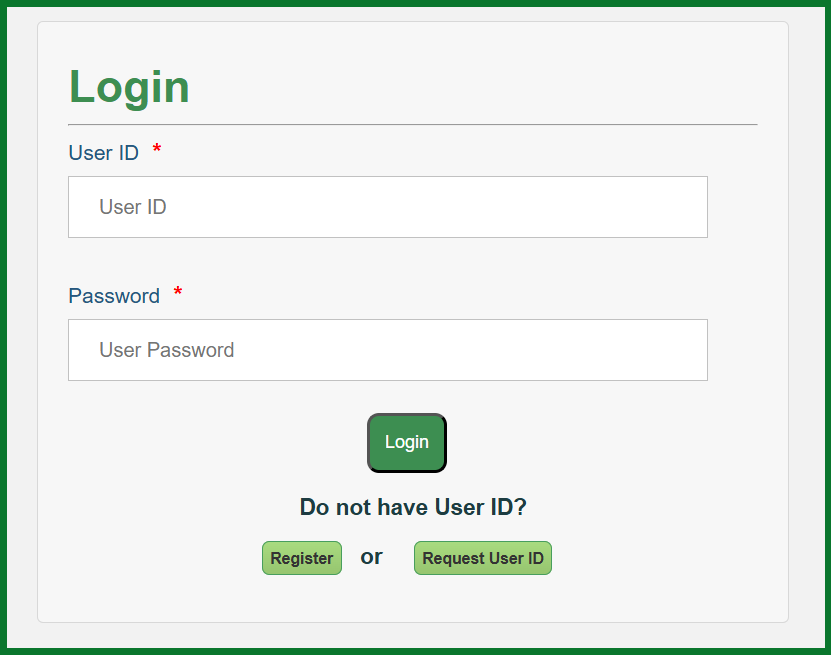
- Forgot your login credentials? Use the “Recover Account” feature on the portal.
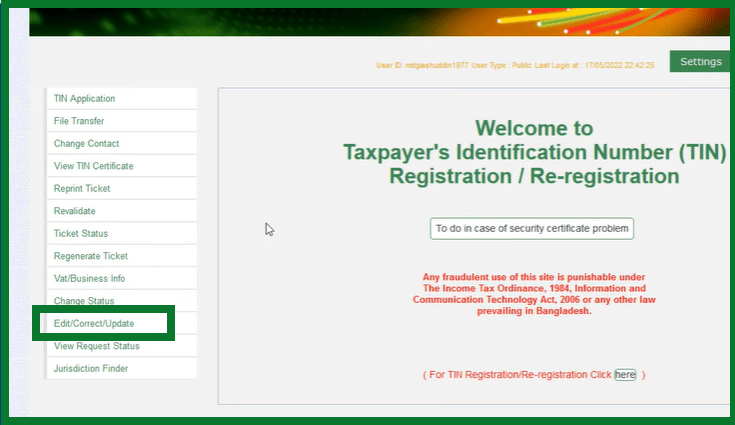
Step 3: Access the Correction Section
- From the dashboard, click on the menu titled “Edit/Correct/Update”.
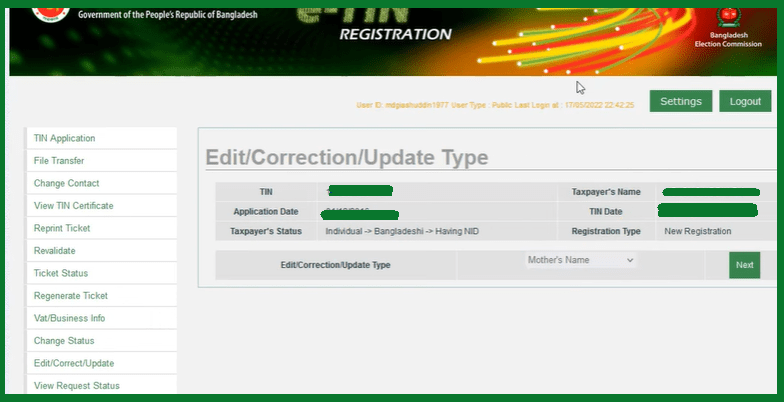
Step 4: Select the Correction Type
- Choose the specific type of correction you want to make (e.g., mobile number, address).
Step 5: Update Information and Provide Justification
- On the left, you’ll see the existing information.
- On the right, enter the corrected details.
- Provide a reason for the correction, such as “mistake during registration.”
Step 6: Submit the Request
- Tick the box next to: “I confirm all information is accurate.”
- Click “Submit Request”.
- A confirmation message will appear. Press “OK” to finalize.
Now, wait for the NBR team to review your request. Processing may take 3–7 working days.
Required Documents for TIN Correction (If Requested)
Although most online corrections don’t require uploads, in some cases, you may be asked to submit supporting documents.
| Document Type | Purpose |
|---|---|
| National ID Card | Verify identity |
| Utility Bill | Address verification |
| Marriage/Birth Certificate | Update family-related info |
How to Check TIN Correction Status Online
Once you’ve submitted the correction request, you can track its status:
- Log in to your account again at https://etaxnbr.gov.bd
- Go to the “View Request Status” menu
- You’ll see your correction marked as either:
- Pending: Still under review
- Approved: Successfully updated
Once approved, you can download the updated TIN certificate directly from your dashboard.
FAQs About TIN Certificate Correction
Conclusion
Correcting your TIN certificate is essential to ensure all your tax and legal information matches your official records. Thanks to the NBR’s online e-TIN portal, the process is now simple and hassle-free. Just follow the steps, provide accurate details, and stay compliant with Bangladesh’s tax regulations.